3DS Max Texturing: Apply, Create & Refine
Enroll now →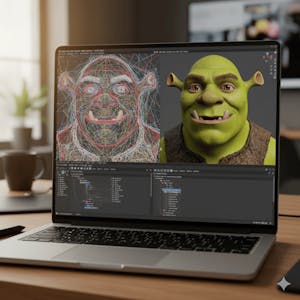
About this course
Master the professional workflow of character texturing in 3ds Max by learning how to apply, create, and refine realistic textures using Photoshop and UV unwrapping techniques. In this course, you will build practical skills for transforming a 3D character into a polished, production-ready model through detailed facial texturing, clothing refinement, body detailing, and shader adjustments. You will begin by applying realistic skin, lip, and eyebrow textures to enhance facial features and expressions. As you progress, you will create and refine UV-mapped textures for the body, hands, clothing, jackets, and shoes, using Photoshop to add natural surface details and improve visual realism. The course concludes with designing and adjusting eye shaders by controlling glossiness and reflection properties to achieve convincing lighting effects and a professional finish. Designed for learners who want to strengthen their 3ds Max texturing skills, this course emphasizes a hands-on, project-based workflow centered on a Shrek-style character model. Rather than focusing on theory alone, each lesson develops practical techniques that combine creative artistry with technical precision. By the end of the course, you will be able to apply detailed UV-mapped textures, refine character materials, create realistic shaders, and produce polished 3D characters ready for animation, game, or film production.
What you'll learn
- Apply realistic textures using Photoshop
- Understand and perform UV unwrapping techniques
- Create detailed textures for skin, clothing, and accessories
- Refine character materials and design realistic shaders
Course objectives
- Develop practical skills for character texturing
- Learn techniques for creating and refining UV-mapped textures
- Achieve a professional finish on 3D character models
Skills you'll gain
Related courses

Interactive Computer Graphics
USD 49
Data-Driven Animation for Science Communication
USD 49

Mastering Realistic 3D Environment in Blender & Green Screen
USD 19.99
3D Printing Essentials: From Design to Reality
USD 49

Blender 3D Animation: Create a Cinematic Forest Short Film
USD 19.99

Vray Next Upgrade 2 in 3ds max Modulo 11
USD 129.99

Realistic Dagger Game Asset Creation in Blender
USD 49.99

VRay para Mac OS. Visualización Arquitectónica Realista.
USD 19.99
Course details are provided by the platform and may change — always confirm on the provider's site. Links may be affiliate links.