Excel: Apply & Evaluate Unsupervised Clustering
Enroll now →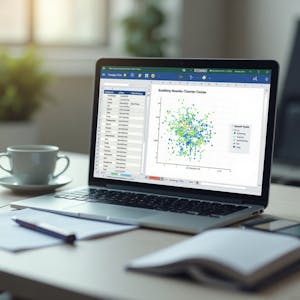
About this course
Discover how to apply and evaluate unsupervised clustering techniques using Microsoft Excel in this hands-on course. Designed for learners with basic Excel knowledge, this course guides you through the complete clustering workflow—from preparing and structuring datasets to building, refining, and evaluating logic-based cluster assignments without programming. You will learn how to identify relevant data attributes, create clustering logic with Excel functions, extend cluster assignments across datasets, and visualize patterns using scatter plots. As you progress, you will refine clustering strategies, validate group separation, and evaluate the effectiveness of your analytical approach through a comprehensive workbook review. This course is ideal for learners who want to perform clustering analysis using familiar Excel tools rather than specialized machine learning platforms. By focusing on practical, step-by-step activities, you'll gain experience organizing data, constructing clustering workflows, interpreting visualizations, and assessing analytical results. If you're looking to build practical data analysis skills and understand how unsupervised clustering can be implemented in Excel, this course provides a structured, application-focused learning experience from data preparation through final evaluation.
What you'll learn
- prepare and structure datasets for clustering
- create clustering logic using Excel functions
- extend cluster assignments across multiple datasets
- visualize data patterns with scatter plots
- validate group separations and evaluate analytical effectiveness
Course objectives
- develop practical data analysis skills
- gain experience in unsupervised clustering workflows
- understand how to implement clustering techniques using Excel
Skills you'll gain
Related courses

Data Science Foundations
USD 49

Data Analytics in the Public Sector with R
USD 49

Data Science as a Field
USD 99

Geographic Information Systems (GIS)
USD 49

Data Visualization & Analytics in Tableau
USD 49

Enhancing Reproducible Science with GitHub and Docker
USD 49

Programming for Python Data Science: Principles to Practice
USD 49

Statistical Methods and Data Analysis
USD 49
Course details are provided by the platform and may change — always confirm on the provider's site. Links may be affiliate links.