Power Automate for Beginners: An Introductory Course
Enroll now →
About this course
Businesses have embraced automation because it improves work efficiency, maximizing both work speed and reliability.Power Automate is a simple yet powerful application from Microsoft for task and business process automation with no coding required. It is an exhaustive tool that can be connected to almost any application and used to streamline repetitive tasks. It lets you perform complex workflows and even allows you to share your workflows with other users.This beginner-level course is suitable for those brand-new to Power Automate for Microsoft 365 and intermediate users looking to expand their skills. The online version of Power Automate is used throughout this course, which covers the basics to get you started with the application, plus some intermediate features. Please note, this course does not cover advanced features such as UI and desktop flows.This course covers:How to get started with the Power Automate interfaceThe definition of a flow and types of flowCreating a flow from a templateHow to create an automated flowRunning, editing, and tracking a flowSharing flows with othersCreating a flow from scratchHow to create triggers and actionsUsing dynamic contentHow to create expressionsHow to create conditionsCreating scheduled flowsWhat is an approval flow?Input types and how to apply themIntro to built-in functionsWorking with loopsDo-until function overviewHow to use switch statementsThis course includes:2.5 hours of video tutorials36 individual video lecturesCertificate of completion<
What you'll learn
- understand the Power Automate interface
- create flows from templates and from scratch
- manage and track flows
- use dynamic content and expressions
- work with conditions and loops
Course objectives
- help beginners understand the basics of Power Automate
- equip users with tools to create automated workflows
- develop skills for sharing flows with others
Skills you'll gain
Related courses

Curso Green Belt - Lean Six Sigma
USD 174.99

Programa 5S [KIT DE IMPLEMENTAÇÃO PRÁTICA] + [1 CURSO EXTRA]
USD 39.99
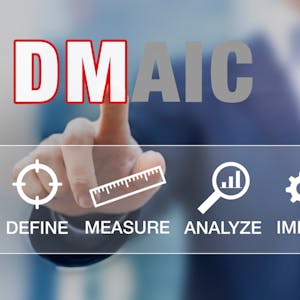
Six Sigma Advanced Define and Measure Phases
USD 49

Six Sigma Green Belt
USD 49

Foundation of Global Supply Chains
USD 49

Mastering Word for Microsoft 365 Made Easy Training Tutorial
USD 19.99

International Supply Chains and Logistics
USD 49

Understanding the Healthcare Innovation Process II
USD 49
Course details are provided by the platform and may change — always confirm on the provider's site. Links may be affiliate links.