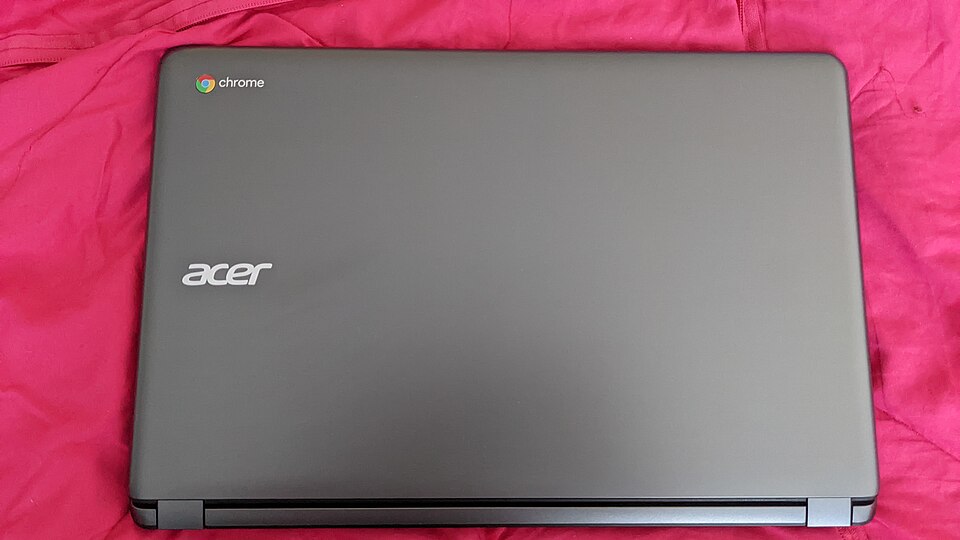
Photo: Donald Trung Quoc Don (Chữ Hán: 徵國單) - Wikimedia Commons - © CC BY-SA 4.0 International.(Want to use this image?)Origina / CC BY-SA 4.0 — via Wikimedia Commons
Overview
The Acer Chromebook 15 is an ideal laptop for students seeking a balance between performance and portability. With its lightweight design and long battery life, it’s perfect for attending classes, studying in the library, or working on group projects. The Chromebook's user-friendly interface and seamless integration with Google services make it a great choice for those who rely on cloud-based applications.
Additionally, the Chromebook 15 features a 15.6-inch display that provides ample screen real estate for multitasking and viewing presentations. Its robust build ensures durability, which is essential for students who are constantly on the go. Overall, this device supports a productive and efficient academic experience.
In-depth review
Design & build
The Acer Chromebook 15 boasts a sleek and modern design that appeals to students looking for both style and functionality. With a 15.6-inch Full HD display, the laptop offers a spacious screen that is perfect for multitasking, whether you're taking notes during lectures or streaming videos during downtime. The chassis is made from durable plastic, which keeps the weight manageable at around 4.2 pounds, making it relatively easy to carry around campus.
One downside to the design is that while it is visually appealing, the plastic build may not withstand heavy wear and tear as well as metal alternatives. Additionally, the bezels around the screen could be slimmer to provide a more immersive viewing experience. Overall, the Chromebook 15's design is functional and attractive for students, but it might not be the most robust option available.
Performance for students
Powered by an Intel Celeron processor, the Acer Chromebook 15 handles everyday tasks with relative ease. For students primarily using web-based applications, such as Google Docs, Sheets, and other online resources, the performance is adequate. The 4GB of RAM allows for basic multitasking; however, users may experience slowdowns when running multiple tabs or more demanding applications simultaneously.
One limitation of this Chromebook is its reliance on cloud storage, which may not suit students who prefer offline access to their files. Despite this, the overall performance is sufficient for typical student needs like research, note-taking, and online browsing.
Battery & everyday use
The Acer Chromebook 15 excels in battery life, offering up to 12 hours on a single charge. This is particularly beneficial for students who need to use their laptop throughout the day without the hassle of finding a power outlet. During everyday use, the laptop remains cool and quiet, which is a plus for those in library or classroom settings.
However, while the battery life is impressive, the charging time can be relatively long, which may be inconvenient for students in a rush. Overall, the Chromebook 15 is a reliable companion for daily activities, and its battery performance is one of its strongest features.
Value for money
When considering the Acer Chromebook 15, it is essential to weigh its performance against its price point. This laptop typically falls within the budget-friendly range, making it an attractive option for students who need an affordable device without sacrificing essential features. The combination of a large display, good battery life, and decent performance makes it a solid choice for those on a budget.
However, it's worth noting that students requiring more power for specific applications, such as graphic design or programming, may need to invest in a more expensive model. Thus, while the Chromebook 15 provides excellent value for basic tasks, it may not be the best fit for all student needs.
Who should buy it
The Acer Chromebook 15 is an ideal choice for students who primarily engage in web-based activities and require a reliable laptop for note-taking, research, and streaming. Its lightweight design and impressive battery life make it a suitable option for those attending classes or working in libraries.
However, students who need a device for more intensive applications or offline work might want to consider alternatives. In summary, if you are a student looking for a budget-friendly, functional laptop for everyday use, the Acer Chromebook 15 is worth considering, but be mindful of its limitations based on your specific needs.
What buyers are saying
Buyer feedback for the Acer Chromebook 15 reveals a mix of appreciation and concerns, highlighting the strengths and weaknesses of the device.
What buyers love
- Large display size, providing an immersive viewing experience.
- Long battery life, allowing for extended use without frequent charging.
- User-friendly interface, making it easy for both beginners and experienced users.
- Lightweight design, enhancing portability for on-the-go use.
Common complaints
- Limited storage capacity, requiring users to rely on cloud services.
- Performance issues with demanding applications, affecting multitasking capabilities.
- Build quality concerns, with some users reporting durability issues over time.
This is an editorial summary of common themes in buyer feedback for this type of product — individual experiences vary. Check live ratings and verified reviews on the retailer before buying.
As an Amazon Associate and affiliate partner, ScholarshipsAds earns from qualifying purchases. Specs and rating are editorial; prices and availability may change.