Overview
The MacBook Air (M1) is an excellent choice for students seeking a lightweight yet powerful laptop. Its impressive battery life and performance enable you to handle everything from note-taking to video editing with ease. The sleek design and portability make it perfect for on-the-go learning.
With the M1 chip, the MacBook Air delivers remarkable speed and efficiency, ensuring that multitasking between applications is smooth and seamless. Whether you're attending online classes, working on group projects, or enjoying some downtime with media, this device meets the demands of student life effortlessly.
In-depth review
Design & build
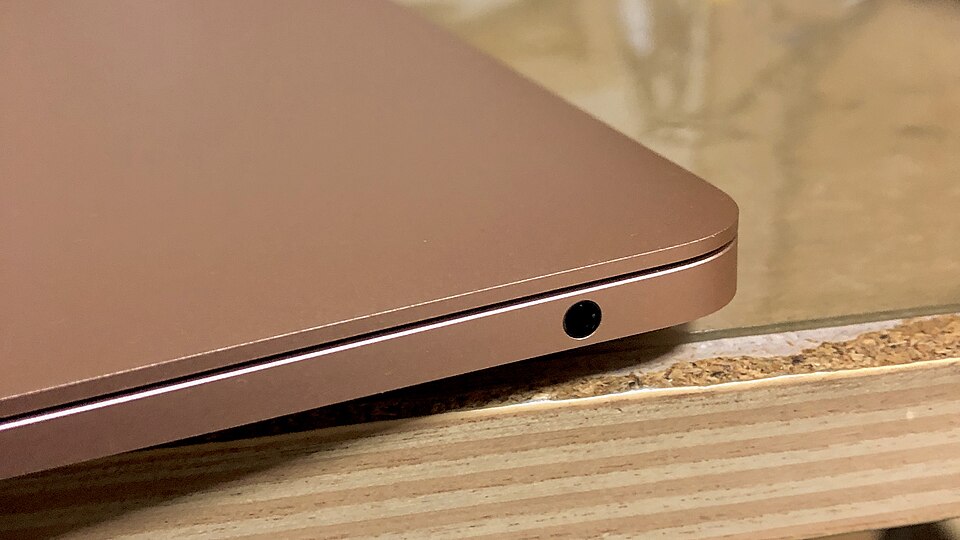
The MacBook Air (M1) boasts a sleek and elegant design that Apple is known for. With its thin profile and lightweight construction, it is highly portable, making it an excellent choice for students who are always on the go. The aluminum chassis not only enhances its aesthetic appeal but also contributes to its durability. The keyboard is comfortable for typing, featuring the Magic Keyboard that offers a satisfying tactile experience. The Retina display is vibrant, providing sharp text and vivid colors, which is particularly beneficial for students engaging in graphic design, video editing, or consuming multimedia content.
Performance for students
Equipped with Apple's M1 chip, the MacBook Air delivers exceptional performance. It seamlessly handles everyday tasks such as web browsing, document editing, and video conferencing. Students can run multiple applications simultaneously without experiencing significant slowdowns, making it ideal for multitasking. Additionally, the M1 chip enhances performance for more demanding tasks, such as programming or running creative software like Adobe Photoshop and Final Cut Pro. However, while the performance is impressive, the integrated graphics may not suffice for students studying fields that require high-end gaming or intensive 3D rendering.
Battery & everyday use
One of the standout features of the MacBook Air (M1) is its battery life. Apple claims up to 18 hours of use on a single charge, and many users find this to be accurate. This extended battery life is particularly advantageous for students who may spend long hours in lectures or libraries without easy access to a power outlet. Everyday use is smooth and efficient, thanks to the macOS operating system, which is optimized for the M1 chip. However, students should note that heavy usage, such as gaming or extensive video editing, can drain the battery more quickly than casual tasks.
Value for money
While the MacBook Air (M1) is positioned at a premium price point, its performance, build quality, and battery life justify the investment for many students. Compared to other laptops in its class, it provides a level of performance that is hard to match. However, students on a tight budget may find more affordable options that still meet their basic needs, albeit with some compromises in performance and build quality. It’s essential for students to assess their specific requirements and whether the MacBook Air aligns with their academic pursuits.
Who should buy it
The MacBook Air (M1) is an excellent choice for students who prioritize portability, performance, and battery life. It is particularly well-suited for those in creative fields, such as design or media studies, due to its powerful performance and stunning display. However, students who require high-end gaming capabilities or specialized software that demands significant graphics power may want to consider alternative models. Overall, if you are looking for a reliable and stylish laptop that can handle a variety of student tasks with ease, the MacBook Air (M1) is a strong contender.
What buyers are saying
The MacBook Air (M1) has garnered significant attention for its performance and design, leading to a variety of feedback from users. Here are some common themes reflected in buyer reviews.
What buyers love
- Exceptional battery life, allowing for extended use without frequent charging.
- Impressive performance with fast processing speeds and smooth multitasking capabilities.
- Sleek and lightweight design, making it highly portable for on-the-go users.
- High-quality Retina display that enhances viewing experiences for work and entertainment.
Common complaints
- Limited ports, which may require additional adapters for connectivity.
- Higher price point compared to competitors in the same category.
- Some users report issues with compatibility for specific software applications.
This is an editorial summary of common themes in buyer feedback for this type of product — individual experiences vary. Check live ratings and verified reviews on the retailer before buying.
As an Amazon Associate and affiliate partner, ScholarshipsAds earns from qualifying purchases. Specs and rating are editorial; prices and availability may change.