Overview
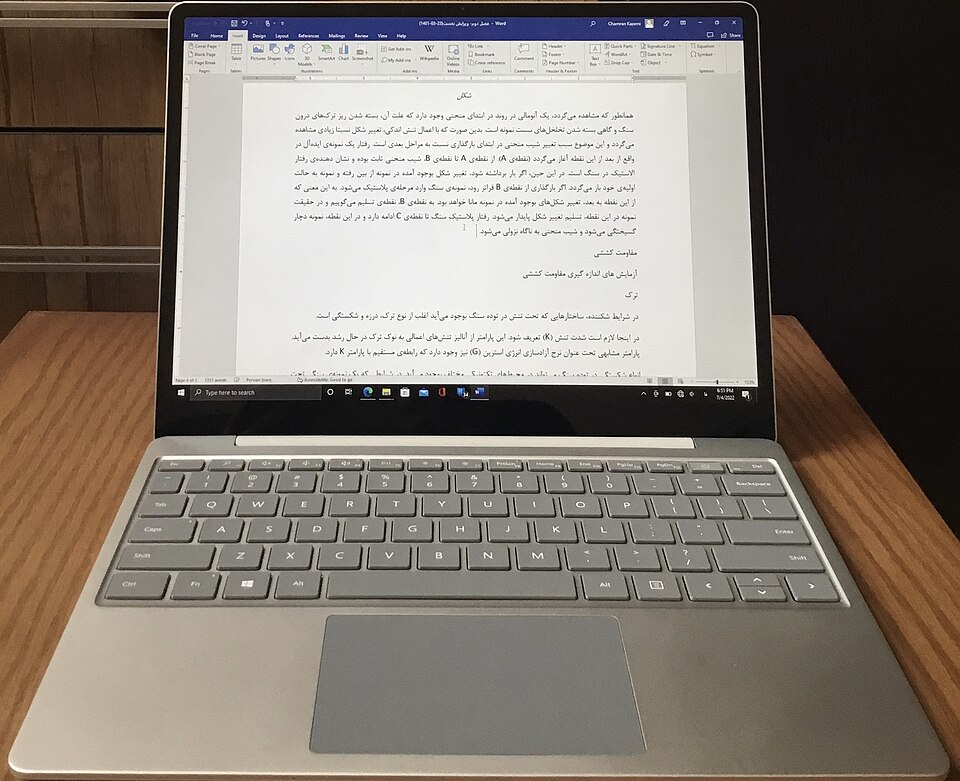
The Microsoft Surface Laptop Go is an ideal companion for students seeking a lightweight, portable laptop that doesn't compromise on performance. With its sleek design and robust features, it caters to the needs of modern learners, making it perfect for both study sessions and casual browsing.
Equipped with a responsive touchscreen and a comfortable keyboard, the Surface Laptop Go enhances the overall learning experience. It offers a balance of power and battery life, allowing students to attend classes, complete assignments, and enjoy multimedia content without frequent recharges.
In-depth review
Design & build
The Microsoft Surface Laptop Go boasts a sleek and modern design that is both aesthetically pleasing and functional. Weighing just over 2.5 pounds, it is lightweight and portable, making it an excellent choice for students who are always on the move. The aluminum chassis provides durability while maintaining a premium feel. The 12.4-inch PixelSense touchscreen display offers vibrant colors and sharp resolution, enhancing the overall user experience. However, the screen's 3:2 aspect ratio may not be ideal for everyone, especially those who frequently work with widescreen content.
Performance for students
Equipped with Intel's 10th generation processors, the Surface Laptop Go delivers reliable performance for everyday tasks such as browsing, word processing, and streaming. The base model comes with 4GB of RAM, which may suffice for basic usage, but students who engage in multitasking or run more demanding applications will find the 8GB option more suitable. The integrated Intel UHD Graphics provides decent graphics performance for casual gaming and multimedia consumption, but it falls short for more graphics-intensive tasks, such as video editing or gaming. Overall, while the performance is adequate for most students, those with specific high-performance needs may need to look elsewhere.
Battery & everyday use
The battery life of the Surface Laptop Go is one of its standout features, offering up to 13 hours on a single charge under typical usage conditions. This impressive longevity allows students to attend classes, study in libraries, and work on assignments without constantly worrying about finding a power outlet. The fast-charging capability is a bonus, allowing the battery to reach 80% in around an hour. However, users should note that heavy usage, such as gaming or running multiple applications, can significantly decrease battery life. In everyday use, the device performs well, but the lack of USB-A ports may require students to invest in adapters for older devices.
Value for money
While the Surface Laptop Go is positioned as an affordable entry-level laptop, it is essential to consider whether it offers value for your investment. The build quality and design justify a portion of the price, but the performance limitations, especially in the base model, may lead some to question its overall worth. Competing laptops in the same price range may offer better specifications, particularly in terms of RAM and storage. However, the overall user experience, combined with the premium feel of the device, makes it a compelling option for students prioritizing aesthetics and portability over sheer power.
Who should buy it
The Microsoft Surface Laptop Go is ideal for students who prioritize portability, design, and battery life. If your primary tasks involve web browsing, word processing, and light media consumption, this laptop will serve you well. However, those who require more power for demanding applications, such as graphic design or extensive multitasking, may want to consider higher-end alternatives. Additionally, students who frequently work with older peripherals should be mindful of the limited port selection. In summary, the Surface Laptop Go is a solid choice for students seeking a stylish and efficient device for everyday tasks, but potential buyers should weigh their specific needs against the laptop's limitations.
What buyers are saying
The Microsoft Surface Laptop Go has garnered a variety of feedback from users, highlighting both its strengths and weaknesses. Below are some common themes found in buyer feedback.
What buyers love
- Lightweight and portable design, making it easy to carry around.
- High-quality display with vibrant colors and sharp resolution.
- Good battery life, allowing for extended use without frequent charging.
- Responsive keyboard and touchpad that enhance the overall user experience.
Common complaints
- Limited performance for demanding applications and multitasking.
- Relatively small storage options compared to other laptops in the same range.
- Some users find the build quality less premium than expected for the price.
This is an editorial summary of common themes in buyer feedback for this type of product — individual experiences vary. Check live ratings and verified reviews on the retailer before buying.
As an Amazon Associate and affiliate partner, ScholarshipsAds earns from qualifying purchases. Specs and rating are editorial; prices and availability may change.