Overview
The Samsung Chromebook 4 is an ideal laptop for students seeking a balance of performance and affordability. With its lightweight design and long battery life, it is perfectly suited for studying, attending online classes, and completing assignments on the go.
This Chromebook boasts a durable build and a user-friendly Chrome OS, providing seamless access to apps and cloud storage. Its impressive performance ensures that students can multitask efficiently, making it a valuable tool for both academic and personal use.
In-depth review
Design & build
The Samsung Chromebook 4 presents a sleek and minimalist design that is both functional and aesthetically pleasing. Weighing just 2.6 pounds, it is lightweight and portable, making it an ideal companion for students who need to carry it around campus. The chassis is constructed from durable plastic, which offers a sturdy feel, although it may not exude the premium touch of metal counterparts. The 11.6-inch display features a resolution of 1366 x 768 pixels, which is adequate for typical browsing and document editing tasks, but might fall short for those looking for higher clarity in media consumption. The keyboard is comfortable to type on, with well-spaced keys, while the trackpad is responsive, enhancing the overall user experience.
Performance for students
Equipped with an Intel Celeron processor and 4GB of RAM, the Samsung Chromebook 4 is designed to handle everyday tasks efficiently. It excels in web browsing, document editing, and streaming, making it suitable for students who primarily use web-based applications. However, the limitations of the Celeron processor become apparent during multitasking or when running demanding applications, such as graphic design software or heavy video editing tools. For students who rely on more intensive software, this Chromebook may not be the best fit. On the positive side, it runs Chrome OS smoothly, which is optimized for speed and simplicity, allowing for quick boot times and efficient operation of online tools.
Battery & everyday use
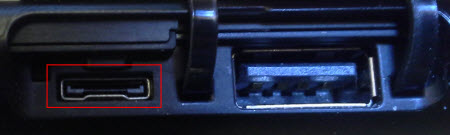
The battery life of the Samsung Chromebook 4 is one of its standout features, boasting up to 12 hours on a single charge. This longevity ensures that students can go through a full day of classes without needing to recharge. Everyday use is where this Chromebook truly shines; it handles tasks such as taking notes, completing assignments, and participating in online classes with ease. The device’s connectivity options, including USB-C and USB-A ports, along with Bluetooth support, allow for versatile usage, whether connecting to external displays or transferring files. However, the lack of a dedicated HDMI port may inconvenience those requiring direct connections to projectors.
Value for money
The Samsung Chromebook 4 offers solid value for students on a budget. It provides essential features at a competitive price point, making it an attractive option for those who need a reliable device for academic purposes. While it may not compete with higher-end laptops in terms of performance or build quality, its affordability and functionality make it a practical choice for students who primarily engage in online activities. The durability and long battery life also contribute to its overall value, ensuring that students can get the most out of their investment.
Who should buy it
This Chromebook is best suited for students who require a device for basic tasks such as browsing the internet, writing papers, and attending online classes. It is particularly ideal for those who utilize Google Workspace and other web-based applications. However, students who need to run resource-intensive applications or who require a higher resolution display for multimedia tasks may want to consider other options. Overall, the Samsung Chromebook 4 is a commendable choice for budget-conscious students seeking a lightweight, functional device for everyday use.
What buyers are saying
The Samsung Chromebook 4 has garnered a range of feedback from buyers, highlighting both its strengths and areas for improvement. Here’s a summary of common themes observed in customer reviews.
What buyers love
- Lightweight and portable design, making it ideal for on-the-go use.
- Long battery life, allowing for extended use without frequent charging.
- Fast performance for everyday tasks, such as browsing and streaming.
- Affordable price point, providing good value for the features offered.
Common complaints
- Limited storage capacity, which can be restrictive for some users.
- Display quality may not meet the expectations of users seeking high-resolution screens.
- Keyboard and trackpad sensitivity issues reported by some buyers.
This is an editorial summary of common themes in buyer feedback for this type of product — individual experiences vary. Check live ratings and verified reviews on the retailer before buying.
As an Amazon Associate and affiliate partner, ScholarshipsAds earns from qualifying purchases. Specs and rating are editorial; prices and availability may change.