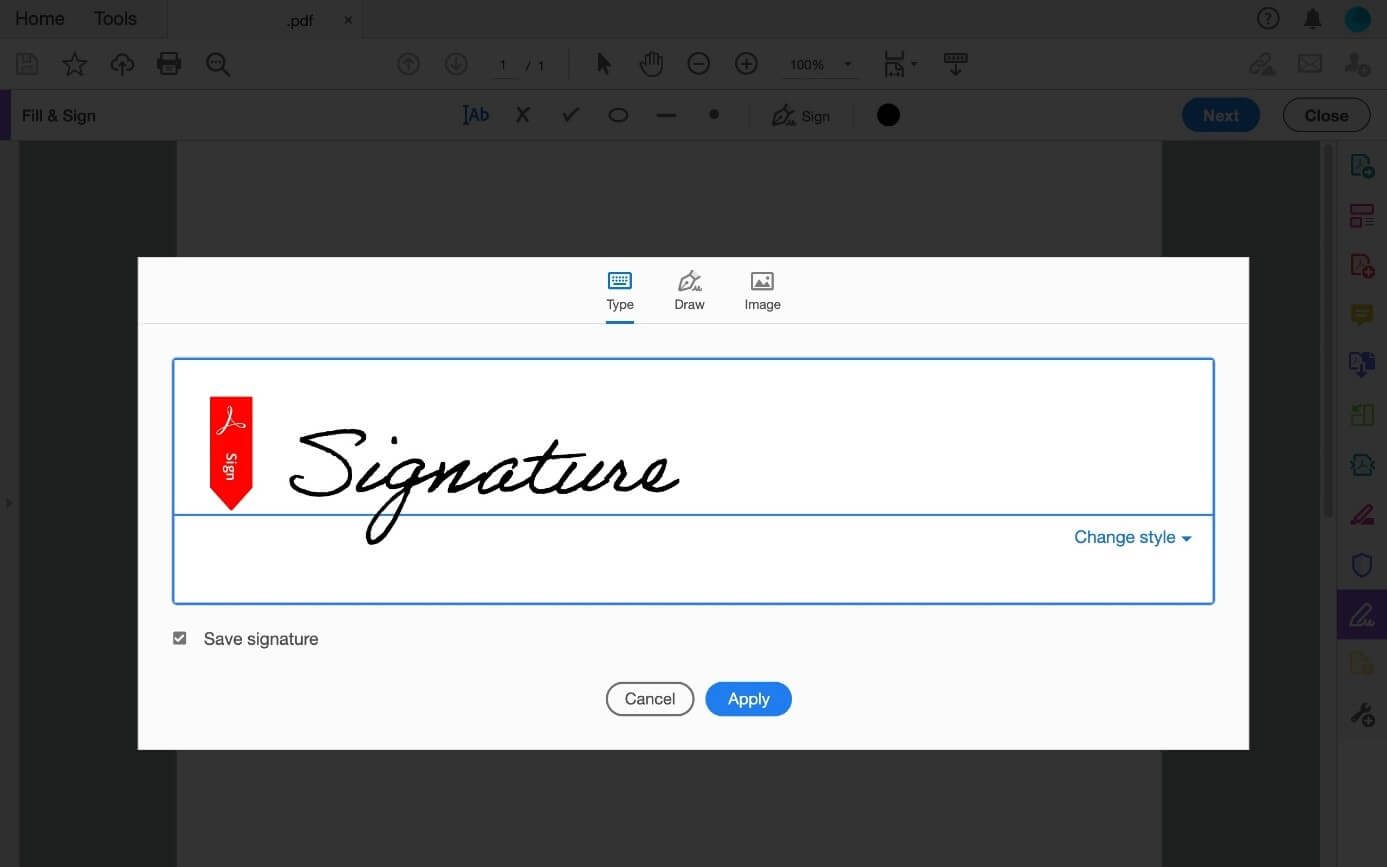
In today’s digital world, signing documents electronically has become essential for students, professionals, freelancers, and businesses. Instead of printing a document, signing it manually, and scanning it again, you can now sign documents instantly online. A simple tool like Sign PDF online allows you to upload a document, add your digital signature, and download the signed file within seconds.
Electronic signatures have transformed how people handle contracts, agreements, and official forms. Whether you are signing a job offer letter, university admission form, or business contract, online PDF signing tools make the process fast, secure, and convenient.
What Does It Mean to Sign a PDF Online?
Signing a PDF online means adding your electronic signature directly to a digital document without printing it. Many tools allow you to draw, type, or upload an image of your signature and place it anywhere on the document.
Once the signature is added, the signed PDF can be downloaded and shared immediately. This eliminates the need for scanners, printers, and manual paperwork.
Why Online PDF Signing Is Important
Online document signing has become popular because it saves time and simplifies workflows.
1. Saves Time and Effort
Traditional document signing requires printing, signing, scanning, and sending the document again. Online signing tools remove all these steps.
2. Environment Friendly
Digital signatures reduce paper usage. Companies and universities are increasingly moving toward paperless workflows.
3. Convenient for Remote Work
With remote jobs, online education, and international business collaborations increasing, electronic signatures allow documents to be signed from anywhere in the world.
4. Faster Business Processes
Companies often need contracts signed quickly. Digital signatures allow instant approvals without waiting for physical documents.
How to Sign a PDF Online (Step-by-Step)
Signing a PDF online is very simple and usually takes less than a minute. Most tools follow a similar process.
Step 1: Upload Your PDF
Select the PDF document from your device and upload it to the signing tool.
Step 2: Create Your Signature
You can create a signature in several ways:
Draw your signature using a mouse or touchscreen
Type your name and generate a signature style
Upload a scanned image of your handwritten signature
Many online PDF tools support all three methods.
Step 3: Place the Signature
After creating the signature, drag it to the correct location on the document.
Step 4: Download the Signed File
Once the signature is placed, save and download the signed PDF.
These tools allow users to add signatures quickly without installing any software.
Common Documents That Require PDF Signatures
Digital signatures are used in many everyday situations. Some common examples include:
Employment contracts
Freelance agreements
University admission forms
Scholarship applications
Rental agreements
Business proposals
Legal documents
Students and professionals frequently receive documents in PDF format, which makes online signing tools extremely useful.
Benefits of Using Online PDF Signing Tools
Modern PDF signing platforms offer several advantages.
Easy to Use
Most online tools are designed with a simple interface so anyone can sign documents without technical knowledge.
No Installation Required
You can sign documents directly in your browser without downloading software.
Works on Any Device
Online PDF signing tools work on:
Desktop computers
Laptops
Tablets
Smartphones
Instant Sharing
After signing the document, you can instantly email or upload the file.
Who Can Benefit From PDF Signing Tools?
Many people rely on electronic signatures in their daily work.
Students
Students often need to sign application forms, scholarship documents, or university agreements.
Freelancers
Freelancers regularly sign contracts with clients across different countries.
Businesses
Companies use electronic signatures for contracts, approvals, and official agreements.
Government and Legal Work
Government departments and law firms increasingly use digital signatures to speed up administrative processes.
Security and Legitimacy of Digital Signatures
Digital signatures can also be legally valid in many countries when proper authentication systems are used. Some advanced tools provide verification, encryption, and audit trails for signed documents.
For everyday document signing, basic electronic signatures are sufficient for agreements, approvals, and internal paperwork.
The Future of Document Signing
As businesses and institutions continue shifting toward digital systems, online document signing will become even more common. Many organizations are replacing traditional paperwork with electronic workflows to improve efficiency.
Tools that allow users to sign PDFs online are playing a major role in this transformation by making document management easier and faster.
Final Thoughts
Signing documents should not be a complicated process. Online tools have made it possible to sign contracts, agreements, and forms within seconds without printing or scanning anything.
Whether you are a student submitting a form, a freelancer signing a contract, or a business professional approving documents, digital signature tools provide a quick and reliable solution.
Using an online tool to sign PDFs can save time, simplify workflows, and help you handle documents more efficiently in the modern digital environment.