Overview
The Logitech Brio is an excellent choice for students seeking high-quality video for online classes, presentations, or virtual meetings. Its impressive 4K resolution and advanced features ensure that you always look your best, even in less-than-ideal lighting conditions.
Designed with versatility in mind, the Brio is compatible with a wide range of devices, making it perfect for students who may switch between laptops, tablets, and desktops. Its compact design allows for easy transport in a backpack, ensuring that you can stay connected wherever you are.
In-depth review
Design & build
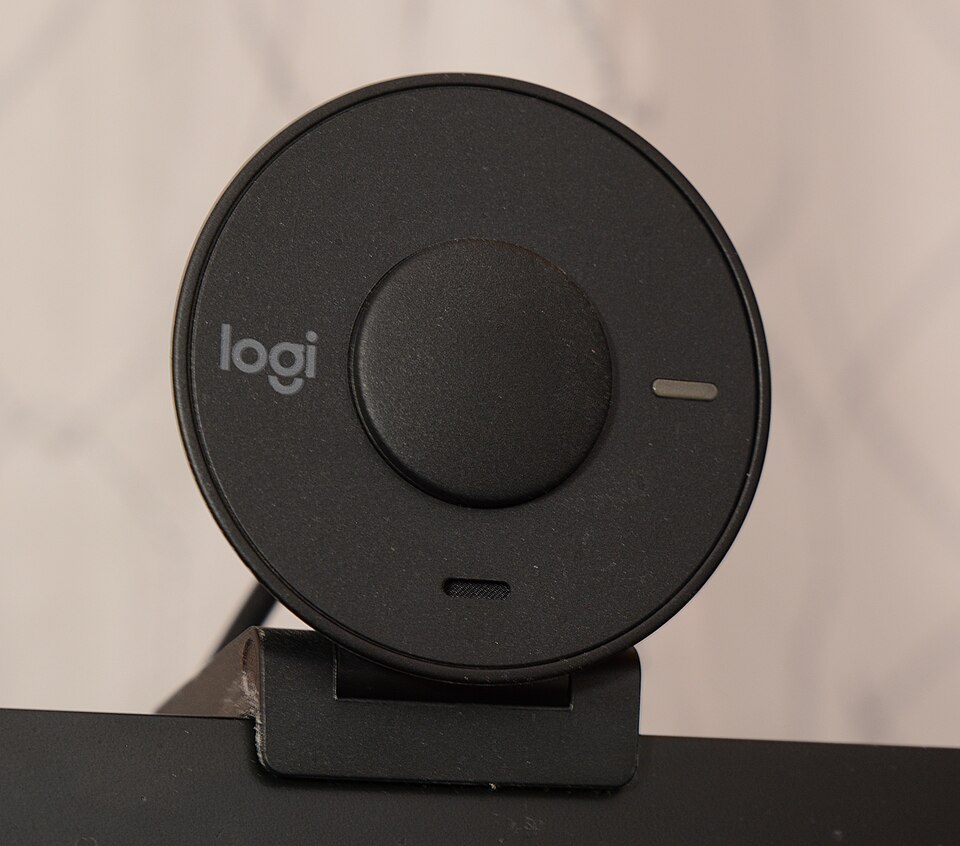
The Logitech Brio is a premium webcam that impresses with its sleek and modern design. It features a compact form factor that fits seamlessly atop most monitors and laptops. The camera is constructed from high-quality plastic, lending it a sturdy feel while remaining lightweight. Its adjustable clip allows for flexible positioning, ensuring you can capture the perfect angle during video calls or online classes.
One of the standout features of the Brio is its glass lens, which not only enhances durability but also provides superior clarity. The camera's sleek black finish and minimalistic look make it an aesthetically pleasing addition to any study setup. However, some users may find the lens prone to fingerprints, which can occasionally detract from its polished appearance.
Performance for students
When it comes to performance, the Logitech Brio truly shines. It offers remarkable video quality with resolutions up to 4K at 30 frames per second, making it an excellent choice for students who engage in online learning or virtual collaborations. The advanced autofocus and light correction features ensure that you always look your best, even in less-than-ideal lighting conditions.
Moreover, the Brio supports HDR technology, which enhances color accuracy and contrast. This is particularly beneficial for students who may need to record presentations or participate in webinars, as it captures details that lower-quality webcams might miss. However, it's important to note that while the 4K resolution is impressive, it may require a robust internet connection for optimal streaming quality.
Battery & everyday use
As a USB-powered device, the Logitech Brio does not come with a battery, which simplifies its use for students. Simply plug it into a USB port, and it’s ready to go, making it ideal for those who frequently switch between devices or locations. Its plug-and-play functionality allows for quick setup, and compatibility with various operating systems and video conferencing software ensures that students can easily integrate it into their workflow.
For everyday use, the Brio excels in providing a stable and reliable connection, which is crucial for attending classes, group projects, or virtual study sessions. However, some users may experience occasional connectivity issues depending on their computer’s USB port configuration or bandwidth limitations.
Value for money
The Logitech Brio is positioned at a higher price point compared to standard webcams, which raises questions about its value for money. While the features and performance justify the cost for serious students, casual users may find it excessive. For those prioritizing video quality and advanced features, the Brio delivers an impressive return on investment.
However, it’s essential to consider the availability of alternatives in the market. Many budget-friendly options provide acceptable video quality for casual use, making the Brio a potentially unnecessary expense for students who only need basic functionality. Ultimately, the decision comes down to the specific needs and budget of the individual user.
Who should buy it
The Logitech Brio is an excellent choice for students who frequently engage in online classes, video conferencing, or content creation. Those studying fields related to media, communication, or technology will particularly benefit from its high-quality video capabilities. Additionally, students who value professional-grade presentations or require superior clarity for recording purposes will find the Brio to be an invaluable tool.
On the other hand, students who only use a webcam occasionally for casual video calls may want to consider more affordable options. The Brio's advanced features may not be necessary for those who do not prioritize video quality in their daily interactions.
What buyers are saying
The Logitech Brio has garnered considerable attention from consumers, leading to a variety of feedback that highlights both its strengths and areas for improvement. Below is a summary of common themes found in buyer feedback.
What buyers love
- Exceptional video quality with 4K resolution and excellent low-light performance.
- Wide field of view options, making it ideal for group calls and presentations.
- User-friendly setup and compatibility with various platforms and applications.
- Advanced features like background replacement and HDR support.
Common complaints
- High price point compared to other webcams on the market.
- Occasional software issues or bugs with the camera settings.
- Microphone quality may not meet expectations for professional use.
This is an editorial summary of common themes in buyer feedback for this type of product — individual experiences vary. Check live ratings and verified reviews on the retailer before buying.
As an Amazon Associate and affiliate partner, ScholarshipsAds earns from qualifying purchases. Specs and rating are editorial; prices and availability may change.