8 Best Webcams for Online Classes in 2026

Finding the right webcam can enhance your online learning experience significantly. Here’s a guide to help you choose the best webcam for your classes.

8 Best Webcams for Online Classes
Compare all Accessories side-by-side
1 L
★ 4.3 Mid-range Best for: Online classes and video conferencing

The Logitech C920 HD Pro is a popular choice among students for its excellent video quality and reliable performance. With 1080p resolution and built-in stereo microphones, it's perfect for online classes.

Resolution: Full HD 1080p Frame Rate: 30 fps Field of View: 78 degrees Microphone: Dual built-in mics
  • High-quality video and audio
  • Automatic light correction
  • Compact and portable design
  • Limited field of view
  • No built-in privacy shutter
2 R

Razer Kiyo

Editor's Choice
★ 4.3 Mid-range Best for: Students attending online classes or streaming

Designed with streamers in mind, the Razer Kiyo features an adjustable ring light to provide optimal lighting in any setting. This is ideal for students who want to look their best during online presentations.

Resolution: 1080p at 30fps Field of View: 81.6° Lighting: Integrated ring light Microphone: Built-in omnidirectional
  • High-quality video resolution
  • Integrated lighting for better visibility
  • User-friendly setup
  • Limited low-light performance without ring light
  • Can be overpriced for basic needs
3 L
★ 4.3 Mid-range Best for: Content creators, online learners, and remote workers

The Logitech StreamCam offers excellent video quality with 1080p resolution and a 60 fps frame rate. It's perfect for students who need smooth, high-quality video for their online classes.

Resolution: Full HD 1080p Frame Rate: 60 fps Lens: Glass lens with autofocus Microphone: Dual omnidirectional microphones
  • High-quality video and audio performance
  • Flexible mounting options
  • User-friendly setup
  • Requires good lighting for optimal performance
  • Limited functionality without additional software
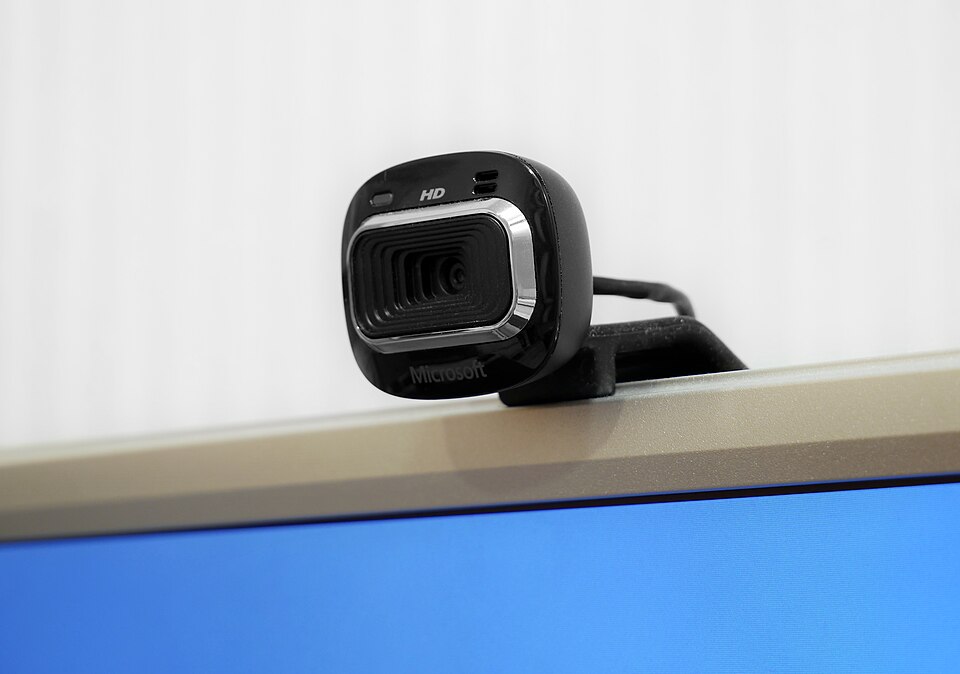
4 Microsoft LifeCam HD-3000
★ 4.3 Budget Best for: Students participating in online classes and video conferencing

The Microsoft LifeCam HD-3000 is a budget-friendly option that still delivers solid performance with 720p HD video. It's great for students looking for a basic yet reliable webcam.

Video Quality: 720p HD Field of View: 68 degrees Microphone: Built-in noise-canceling Connection Type: USB
  • Affordable price point
  • Easy setup and use
  • Good video and audio quality
  • Limited low-light performance
  • Basic features compared to higher-end models
5 A
★ 4.3 Mid-range Best for: Students engaged in remote learning and online collaboration

The AUSDOM AF640 provides full HD 1080p video with a wide-angle lens, making it suitable for group study sessions or online classes with multiple participants.

Resolution: Full HD 1080p Field of View: 90 degrees Microphone: Built-in with noise reduction Connectivity: USB 2.0
  • High-resolution video quality
  • Built-in noise-canceling microphone
  • Easy to set up and use
  • Limited low-light performance
  • Plastic build may feel less premium
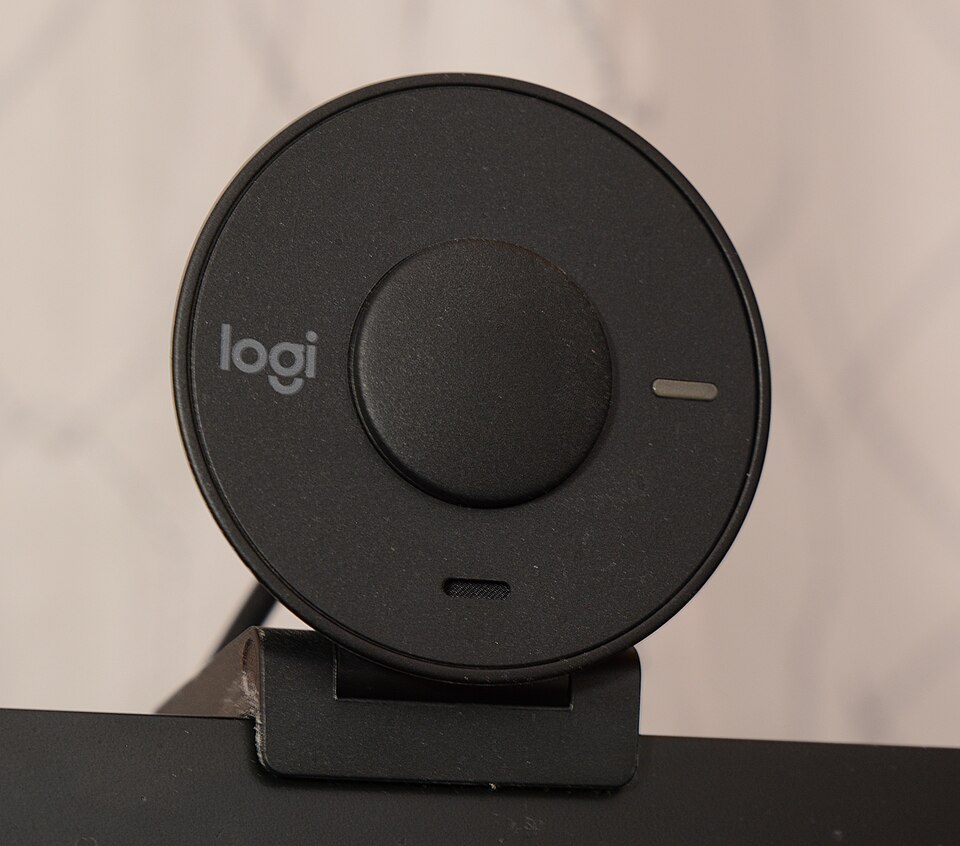
6 Logitech Brio

Logitech Brio

Premium Pick
★ 4.3 Premium Best for: Students needing high-quality video for remote learning

The Logitech Brio is a premium webcam that supports 4K video resolution. It's perfect for students who want the best quality for their online classes and recordings.

Resolution: 4K UHD Field of View: 90 degrees Frame Rate: 30 fps at 4K Microphone: Dual omni-directional mics
  • Exceptional video quality
  • Wide field of view
  • Built-in microphone with noise cancellation
  • Higher price compared to basic webcams
  • Requires USB 3.0 for optimal performance
7 C
★ 4.3 Budget Best for: Students attending online classes or meetings

This webcam from Creative offers 720p video quality at an affordable price. It's a good choice for students seeking a straightforward solution for online classes.

Resolution: 720p HD Field of View: 75 degrees Microphone: Built-in noise-canceling Compatibility: Windows, macOS, and major video chat platforms
  • High-definition video quality
  • Easy to set up and use
  • Compact and portable
  • Limited low-light performance
  • No advanced features like background blur
8 H
★ 4.3 Budget Best for: Students attending online classes and video conferences

The HP HD 4310 webcam is known for its ease of use and decent video quality. It's a solid option for students who need a reliable webcam without breaking the bank.

Resolution: 720p HD Field of View: 80 degrees Microphone: Built-in dual microphones Compatibility: Windows and Mac
  • High-definition video quality
  • Easy to set up and use
  • Built-in microphones for clear audio
  • Limited low-light performance
  • No advanced features like zoom or pan

What to look for

When selecting a webcam for online classes, consider the following factors:

  • Resolution: Aim for at least 1080p for clear video quality.
  • Frame Rate: A higher frame rate ensures smoother video, particularly for fast movements.
  • Field of View: A wider field of view helps capture more of your surroundings.
  • Microphone Quality: Built-in microphones should provide clear audio; consider external mics for better sound.
  • Compatibility: Ensure the webcam works with your computer and preferred software.

Final tips

Always read user reviews and check for any software requirements before purchasing. A good webcam can make a significant difference in how you interact during classes.

Frequently asked questions

What features should I look for in a webcam for online classes?
When choosing a webcam for online classes, consider features like resolution (1080p is ideal), frame rate (at least 30 fps for smooth video), and built-in microphone quality for clear audio. Additionally, look for a webcam with good low-light performance and a wide field of view.
Do I need additional software to use a webcam for online classes?
Most webcams are plug-and-play and will work with common video conferencing software like Zoom, Skype, or Google Meet without additional software. However, some models may come with their own software for advanced settings and features.
How do I ensure my webcam is compatible with my computer?
Before purchasing a webcam, check the specifications to ensure it is compatible with your operating system (Windows, macOS, etc.). Most webcams connect via USB and are universally compatible, but it's always good to verify.
Can I use my smartphone as a webcam for online classes?
Yes, you can use your smartphone as a webcam by downloading specific apps that allow this functionality. This can be a great alternative if you don't have a dedicated webcam.
What are some tips for improving video quality during online classes?
To enhance video quality, ensure you have good lighting, preferably natural light facing you, and a stable internet connection. Additionally, position your camera at eye level and minimize background distractions.
As an Amazon Associate and affiliate partner, ScholarshipsAds earns from qualifying purchases. Product specs and rankings are editorial; prices and availability may change.