Overview
The Microsoft LifeCam HD-3000 is an excellent choice for students seeking a reliable webcam for online classes and virtual meetings. With its 720p HD video quality, it ensures clear visuals, making it easy to engage with peers and instructors during remote learning sessions.
This webcam is designed for simplicity and ease of use, featuring a flexible stand that can be mounted on various surfaces. Its built-in noise-canceling microphone enhances audio clarity, allowing for effective communication during group projects and presentations.
In-depth review
Design & build
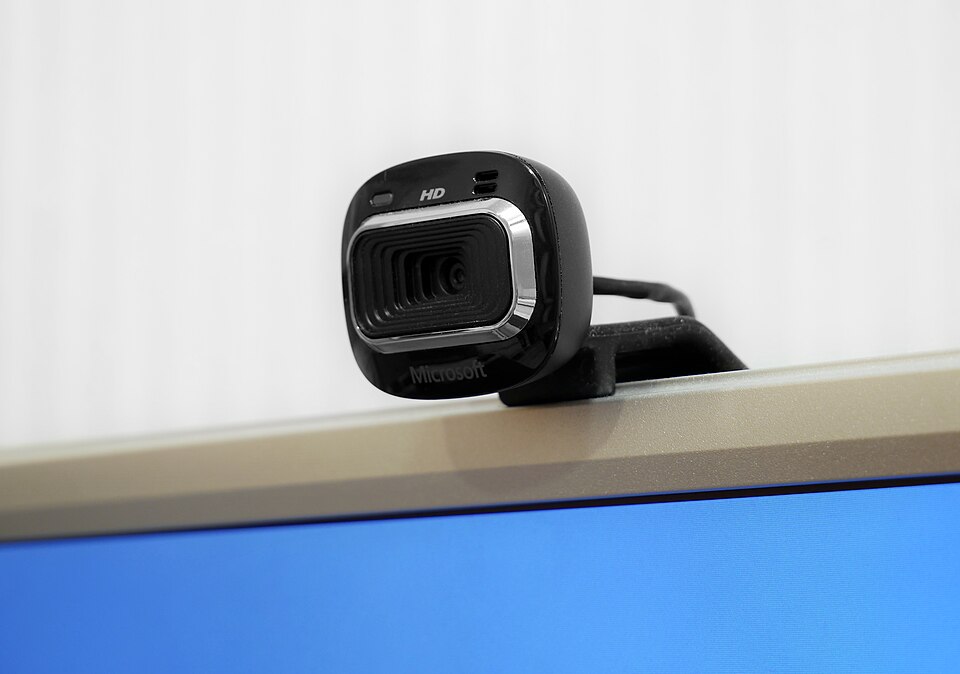
The Microsoft LifeCam HD-3000 features a sleek and compact design that is both functional and aesthetically pleasing. Its small footprint makes it easy to mount on various types of monitors or laptops without obstructing the screen. The camera has a glossy black finish, giving it a modern look, while the adjustable base provides versatility in positioning. The built-in noise-canceling microphone is a thoughtful addition, helping to improve audio quality during video calls.
However, the plastic build feels somewhat lightweight, which may raise concerns about durability over time. While it is designed to withstand everyday use, students who are frequently on the go might want to handle it with care to avoid any accidental damage.
Performance for students
When it comes to performance, the LifeCam HD-3000 delivers decent quality for online classes, group projects, and virtual meetings. It offers 720p HD video, which is adequate for most student needs. The video quality is clear and sharp in well-lit environments, making it suitable for video conferencing applications like Zoom or Microsoft Teams.
However, the camera struggles in low-light situations, where the image can become grainy and less defined. Students who frequently attend evening classes or work in dimly lit spaces may find this limitation frustrating. Additionally, while the autofocus feature is generally reliable, it may occasionally struggle to focus quickly, which can disrupt live presentations or discussions.
Battery & everyday use
One of the significant advantages of the LifeCam HD-3000 is that it does not require batteries, as it is powered via USB. This makes it a hassle-free option for students who may forget to charge devices regularly. The plug-and-play functionality ensures quick setup, allowing users to get started with minimal effort.
In terms of everyday use, the camera is designed to be user-friendly. The adjustable stand allows for easy positioning, and the cable length is sufficient for most setups. However, some students may find the cable to be a bit too short for larger desks or setups that require more flexibility in positioning.
Value for money
The Microsoft LifeCam HD-3000 is competitively priced, making it an attractive option for students on a budget. Given its performance and feature set, it offers good value for those who need a reliable webcam for online education and remote collaboration. While there are higher-end options available, the HD-3000 provides a balance of quality and affordability that may suit the average student’s needs.
That said, students should weigh their specific requirements against the camera's limitations, particularly regarding low-light performance. For those who primarily work in well-lit environments, the LifeCam HD-3000 is likely a smart investment.
Who should buy it
The Microsoft LifeCam HD-3000 is best suited for students who need an affordable webcam for online learning, virtual meetings, and casual streaming. It is ideal for those who primarily engage in video calls during the day or in well-lit settings. The plug-and-play feature and decent audio quality make it a practical choice for students who want a no-fuss solution to video communication.
However, this webcam may not be the best fit for students who require high-quality video in low-light conditions or those who engage in professional-grade streaming or content creation. For such individuals, investing in a higher-end webcam may be more beneficial. Overall, the LifeCam HD-3000 is a solid choice for budget-conscious students looking for a reliable and effective webcam.
What buyers are saying
The Microsoft LifeCam HD-3000 has received a variety of feedback from buyers, highlighting both positive features and areas for improvement. Below are the common themes observed in buyer feedback.
What buyers love
- High-definition video quality, providing clear and sharp images.
- User-friendly setup process, making it easy for anyone to start using.
- Good microphone quality, enhancing audio clarity during video calls.
- Affordable price point for the features offered.
Common complaints
- Limited compatibility with certain software and platforms.
- Occasional issues with autofocus functionality.
This is an editorial summary of common themes in buyer feedback for this type of product — individual experiences vary. Check live ratings and verified reviews on the retailer before buying.
As an Amazon Associate and affiliate partner, ScholarshipsAds earns from qualifying purchases. Specs and rating are editorial; prices and availability may change.