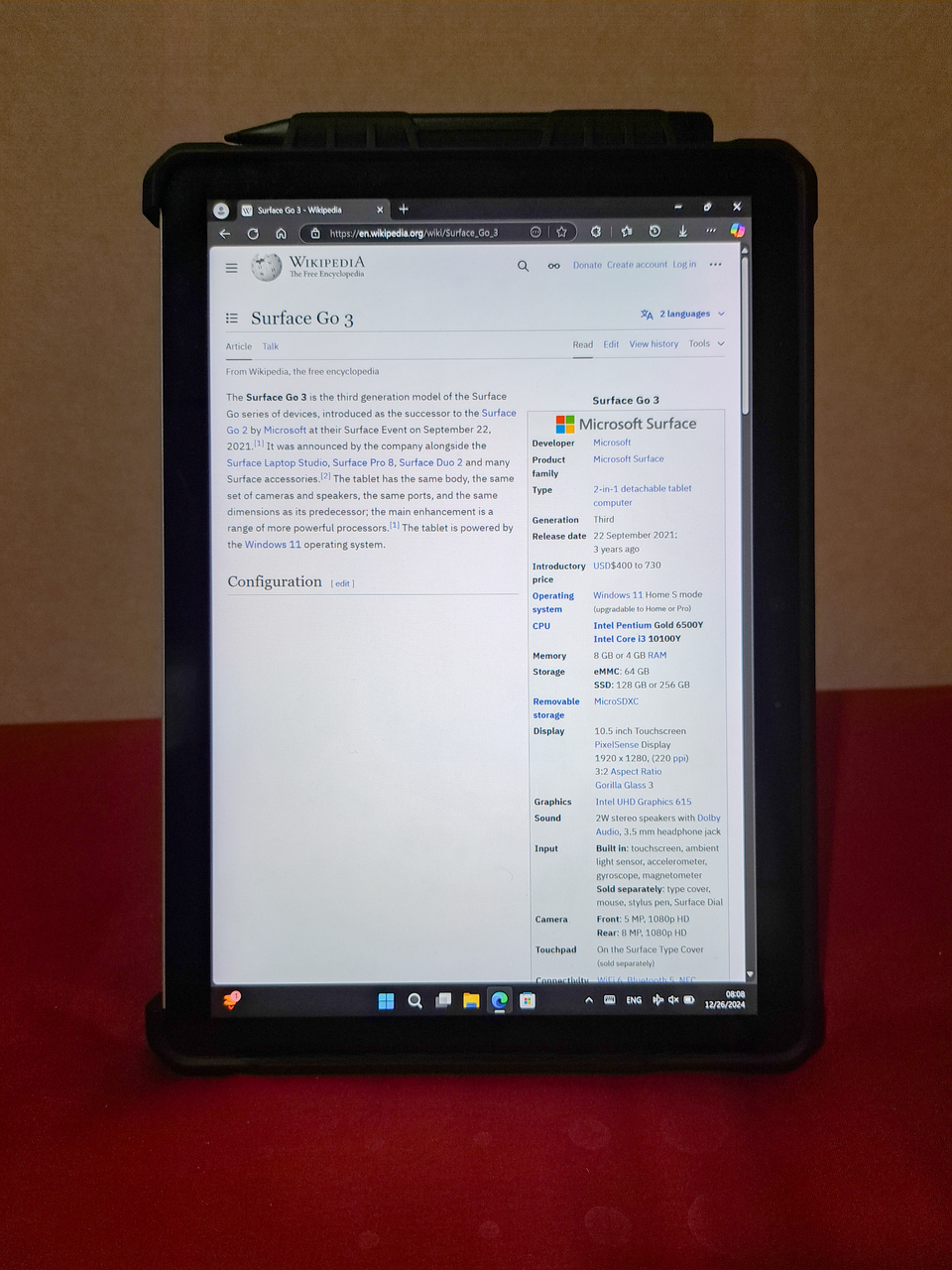
Overview
The Microsoft Surface Go 3 is an ideal tablet for students seeking a versatile and portable device for their academic needs. With its lightweight design and detachable keyboard, it seamlessly transitions from a tablet for casual browsing to a full-fledged laptop for note-taking and assignments. The Surface Go 3 offers a solid build quality, making it a reliable companion for daily use.
This device is tailored for real-world applications, featuring Windows 11, which supports a wide range of educational software. Its long battery life ensures that students can power through long study sessions without frequent recharging. Overall, the Surface Go 3 represents great value for students looking for an affordable yet capable tablet.
In-depth review
Design & build
The Microsoft Surface Go 3 presents a sleek, modern design that is both lightweight and portable, making it an ideal companion for students on the go. Weighing in at just over 1.2 pounds, it can easily fit into a backpack without adding unnecessary bulk. The magnesium alloy chassis not only provides a premium feel but also ensures durability, which is crucial for students who may not always treat their devices with care.
The 10.5-inch PixelSense display offers vibrant colors and sharp resolution, making it suitable for both note-taking and media consumption. However, some users may find the bezels a bit thick compared to newer tablets. The 3:2 aspect ratio is particularly useful for productivity tasks, allowing for more vertical screen real estate when browsing or working on documents.
Performance for students
Equipped with an Intel Pentium Gold processor, the Surface Go 3 is designed primarily for basic tasks. It performs well for web browsing, word processing, and streaming media, making it a solid choice for students focused on these activities. However, the performance may lag during more demanding tasks, such as heavy multitasking or running resource-intensive applications. Students pursuing graphic design or video editing may find the device lacking in power.
The device comes with options for 4GB or 8GB of RAM, and while the latter offers a more fluid experience, both configurations might struggle with extensive multitasking. The Go 3 operates smoothly with Microsoft Office applications, which are essential for students, but users should manage expectations when it comes to gaming or advanced applications.
Battery & everyday use
The Surface Go 3 boasts a battery life of up to 13 hours, which is impressive for a device of its size and class. This longevity allows students to use it throughout the day without the constant need for a charger. Whether you are in lectures, libraries, or cafes, the Go 3 can handle multiple hours of usage on a single charge.
Everyday use is generally pleasant, thanks to the responsive touchscreen and the option to use a Surface Pen for handwritten notes. However, the lack of a dedicated keyboard in the standard package may deter some users; investing in the Type Cover is almost essential for those who plan to do extensive typing. Additionally, the speakers provide decent audio quality, but students may want to consider headphones for a better listening experience.
Value for money
The Surface Go 3 is priced competitively within the tablet market, especially for students seeking a versatile device. However, when factoring in the cost of accessories such as the Type Cover and Surface Pen, the overall investment increases significantly. While it offers a solid performance for everyday tasks, its limitations in processing power may lead some students to question whether it’s the best investment for their needs.
For those who require a device primarily for browsing, note-taking, and streaming, the Go 3 provides good value. Yet, students who need more processing power for complex applications might find better options in other devices at similar price points.
Who should buy it
The Microsoft Surface Go 3 is an excellent choice for students who prioritize portability and basic productivity. It is particularly well-suited for high school and college students who mainly engage in web browsing, document editing, and media consumption. Those who appreciate a lightweight device with a good display will find it appealing.
However, students in fields that demand high-performance computing—such as engineering, graphic design, or video production—should consider more powerful alternatives. Additionally, if you often find yourself multitasking with numerous applications, the limited RAM and processing power might be a drawback.
In summary, the Surface Go 3 is a solid tablet for its intended audience, but potential buyers should weigh its capabilities against their specific academic needs.
What buyers are saying
The Microsoft Surface Go 3 has garnered a mix of feedback from buyers, highlighting both its strengths and areas for improvement. Here’s a synthesis of the common themes found in buyer reviews.
What buyers love
- Portability and lightweight design, making it easy to carry for on-the-go use.
- High-quality display with vibrant colors, enhancing the viewing experience.
- Versatile functionality, allowing it to be used as both a tablet and a laptop.
- Good battery life, suitable for extended use without frequent recharging.
Common complaints
- Performance issues with heavier applications, leading to slower response times.
- Limited storage options, which may not meet the needs of all users.
- Price point considered high for the specifications offered.
This is an editorial summary of common themes in buyer feedback for this type of product — individual experiences vary. Check live ratings and verified reviews on the retailer before buying.
As an Amazon Associate and affiliate partner, ScholarshipsAds earns from qualifying purchases. Specs and rating are editorial; prices and availability may change.