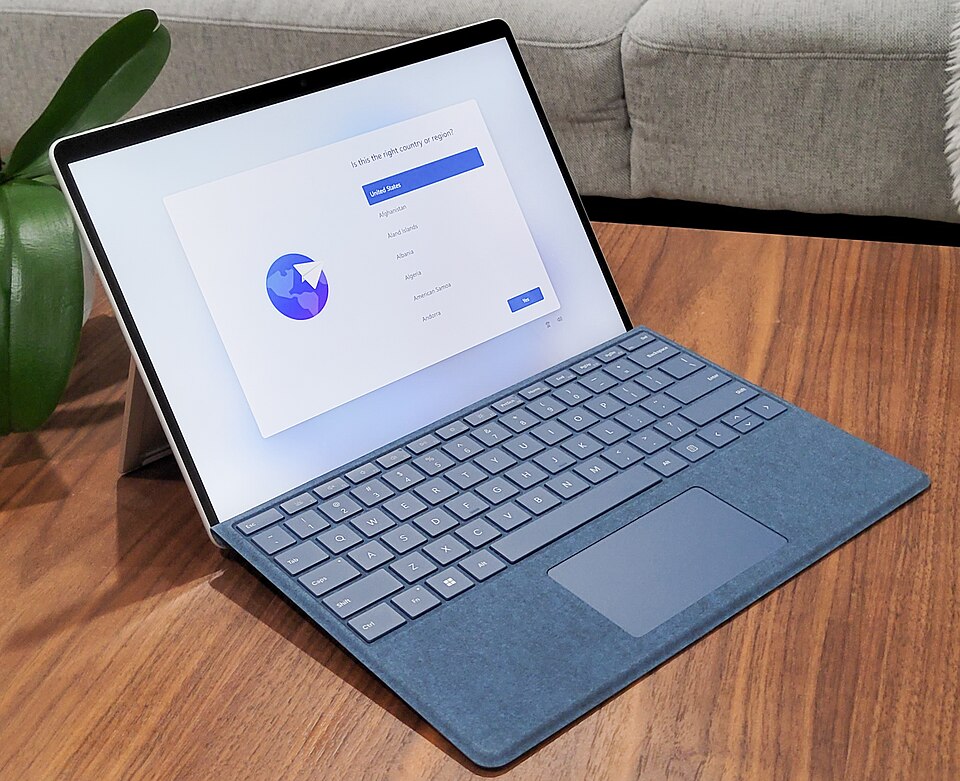
Overview
The Microsoft Surface Pro 9 is an ideal device for students, combining the functionality of a laptop with the portability of a tablet. Its lightweight design makes it easy to carry to classes, while the detachable keyboard offers versatility for note-taking and assignments. The high-resolution display ensures that students can enjoy clear visuals for presentations and media.
With robust performance powered by the latest processors, the Surface Pro 9 is well-suited for a range of academic tasks, from running demanding applications to conducting research online. Its durable build quality and long battery life provide the reliability needed for a full day of classes and study sessions, making it a valuable investment for any student.
In-depth review
Design & build
The Microsoft Surface Pro 9 presents a sleek and modern design that is both aesthetically pleasing and functional. With a magnesium alloy body, it feels robust yet lightweight, making it easy to carry around campus. The 13-inch PixelSense display boasts vibrant colors and sharp resolutions, ideal for both studying and leisure activities. The detachable keyboard, while comfortable for typing, is sold separately, which adds to the overall cost. Additionally, the kickstand allows for versatile positioning, enhancing usability in various environments, from lecture halls to coffee shops.
Performance for students
Equipped with the latest Intel processors, the Surface Pro 9 delivers impressive performance, capable of handling multitasking and demanding applications. Whether you're running complex software for design projects or streaming lectures, the device holds up well. The 16GB RAM option ensures smooth operation, even with multiple browser tabs open. However, users may find that the base model with 8GB RAM struggles with heavy workloads, limiting its appeal for intensive tasks. Overall, it caters well to most students' needs, but those in fields requiring high processing power should consider higher configurations.
Battery & everyday use
The battery life of the Surface Pro 9 is commendable, offering up to 15 hours on a single charge, depending on usage. This makes it suitable for long days at university without needing to search for an outlet. The device quickly charges, allowing students to maximize their time in classes or study sessions. However, heavy usage, particularly for gaming or high-end applications, can significantly drain the battery faster than expected. Additionally, the Windows operating system's updates may occasionally disrupt workflow, which is a consideration for those on tight schedules.
Value for money
While the Microsoft Surface Pro 9 is undoubtedly a premium device, its pricing may raise eyebrows among budget-conscious students. The initial cost can escalate quickly when factoring in accessories like the keyboard and Surface Pen. For those who only require basic functionality, there are more affordable alternatives on the market. However, for students who will benefit from the high-quality display, performance, and versatility, the investment may be justified. It's essential to weigh the costs against the potential benefits to determine if it aligns with your academic needs.
Who should buy it
The Surface Pro 9 is ideal for students who prioritize portability and versatility in their devices. Those studying design, architecture, or other creative fields will appreciate the high-resolution display and performance capabilities. Additionally, students who frequently attend classes, participate in group projects, or require a device that can double as a tablet will find it advantageous. However, if you are on a strict budget or only need a device for basic tasks like note-taking and web browsing, you might want to explore other options that provide better value for your money.
What buyers are saying
The Microsoft Surface Pro 9 has garnered a variety of feedback from users, highlighting both its strengths and areas for improvement. Here’s a synthesis of the common themes in buyer feedback.
What buyers love
- Versatile design that functions as both a tablet and laptop.
- High-quality display with vibrant colors and sharp resolution.
- Lightweight and portable, making it easy to carry around.
- Strong performance with powerful hardware options.
Common complaints
- Battery life could be improved for extended use.
- Higher price point compared to competitors in the market.
- Lack of sufficient ports for connectivity needs.
This is an editorial summary of common themes in buyer feedback for this type of product — individual experiences vary. Check live ratings and verified reviews on the retailer before buying.
As an Amazon Associate and affiliate partner, ScholarshipsAds earns from qualifying purchases. Specs and rating are editorial; prices and availability may change.