PDF files are widely used for academic documents, scholarship applications, business reports, contracts, and official forms. However, editing a PDF file can often feel difficult — especially if you don’t have access to expensive software like Adobe Acrobat.
The good news is that you can now edit PDF files online for free, directly in your browser — without downloading any software and without creating an account.
In this guide, we’ll show you how to edit a PDF online step-by-step, explain why online PDF editing is useful, and share a reliable tool that works instantly.
Why Editing a PDF Can Be Challenging
Unlike Word documents, PDFs are designed to preserve formatting. That makes them perfect for sharing — but harder to modify.
Common problems users face:
Unable to edit text inside a PDF
Need to add signatures quickly
Need to fill scholarship or visa forms
Want to highlight or annotate research papers
Need to correct small errors without recreating the document
Instead of installing heavy desktop software, a browser-based PDF editor can solve all of this in minutes.
How to Edit a PDF Online (Step-by-Step)
Here’s the simplest way to edit your PDF file online:
Step 1: Upload Your PDF
Open a trusted browser-based PDF editor such as:
https://www.pdfwinner.com/edit-pdf
Click the upload button and select your PDF file from your device.
No login is required.
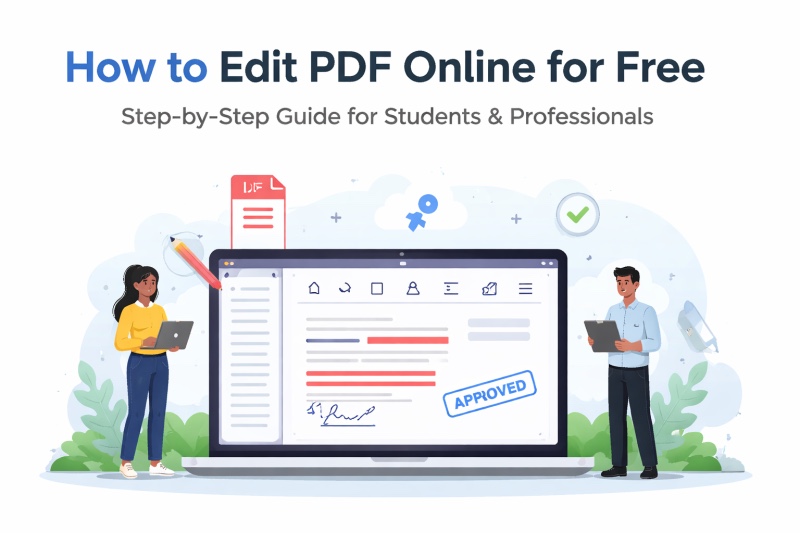
Step 2: Edit the Document
Once your file loads, you can:
Add or modify text
Highlight important sections
Insert shapes and annotations
Add stamps such as “Approved” or “Confidential”
Draw freehand notes
Add page numbers
Insert a signature
The interface is simple and works on desktop, laptop, tablet, and mobile devices.
Step 3: Save and Download
After making your changes:
Click “Save Changes”
Download the edited PDF instantly
Your updated file is ready to submit, share, or email.
Who Can Benefit from Online PDF Editing?
Students
Students frequently need to:
Edit scholarship forms
Update university application documents
Highlight study notes
Add comments to research papers
Fill scanned academic forms
An online PDF editor saves time and avoids formatting issues.
Professionals
Professionals often need to:
Add signatures to contracts
Mark up proposals
Annotate reports
Add watermarks to documents
Edit forms quickly before sending to clients
Online tools make this possible without installing corporate software.
Is It Safe to Edit PDF Online?
Security is an important concern when uploading documents.
Modern browser-based tools process files securely and do not require account registration. Always choose tools that:
Do not force sign-up
Clearly state privacy policies
Process files securely
Allow immediate download
Using a reliable online editor ensures convenience without compromising security.
Additional PDF Tools You May Need
Besides editing, many users also need to:
Merge multiple PDFs
Compress large PDF files
Convert PDF to Word
Convert Word to PDF
Extract specific pages
Protect PDF with password
Choosing a platform that provides all tools in one place improves workflow efficiency.
Final Thoughts
Editing a PDF no longer requires expensive software or technical skills. With modern online tools, you can upload, edit, and download your documents in minutes — directly from your browser.
If you’re looking for a fast, free, and easy way to modify your PDF documents, you can try the online editor here:
https://www.pdfwinner.com/edit-pdf
Whether you’re a student applying for scholarships or a professional preparing business documents, online PDF editing makes the process simple and efficient.