Overview
The iPad (9th generation) is an ideal device for students, offering a blend of performance and portability. With its lightweight design, it's easy to carry around campus, making it perfect for lectures, note-taking, and group projects.
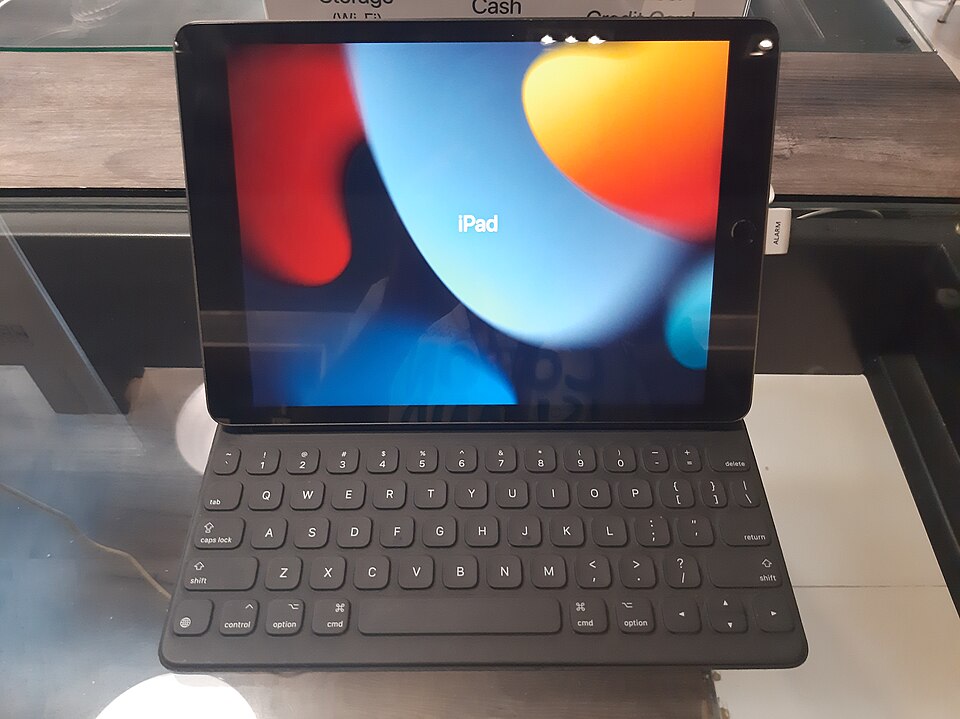
Equipped with a powerful A13 Bionic chip, the iPad ensures smooth multitasking and allows students to run various educational apps effortlessly. The compatibility with the Apple Pencil and Smart Keyboard enhances its functionality, transforming it into a versatile tool for creative and academic tasks.
In-depth review
Design & build
The iPad (9th generation) showcases a sleek and modern design that is both functional and aesthetically pleasing. Weighing just over a pound, it is lightweight and portable, making it an excellent choice for students on the go. The device features a 10.2-inch Retina display, which offers vibrant colors and sharp text, ideal for reading e-books or taking notes during lectures.
Constructed from durable aluminum, the iPad feels sturdy in hand, yet it remains slim enough to fit easily into a backpack. The design includes a home button with Touch ID, providing a convenient and secure way to unlock the device. However, it lacks some of the premium finishes found in higher-end models, which may be a consideration for those who prioritize aesthetics.
Performance for students
Powered by the A13 Bionic chip, the iPad (9th generation) delivers impressive performance, handling multitasking with ease. Whether you are running multiple apps, streaming videos, or using demanding educational software, the iPad remains responsive and smooth. This performance level is particularly beneficial for students who rely on their devices for both study and entertainment.
The iPad is compatible with the Apple Pencil (1st generation) and Smart Keyboard, enhancing its functionality for note-taking and productivity tasks. However, some users may find the lack of compatibility with the latest accessories, such as the Apple Pencil (2nd generation), a limitation. Overall, the performance is well-suited for students, although those requiring more power for advanced graphics or gaming may want to consider higher-end models.
Battery & everyday use
Battery life is one of the standout features of the iPad (9th generation), boasting up to 10 hours of usage on a single charge. This allows students to attend classes, study, and complete assignments without the constant worry of finding a power outlet. The iPad also supports fast charging, which can be a lifesaver during busy school days.
Everyday use is seamless, with the iPad supporting a wide range of applications, from productivity tools like Microsoft Office to creative apps like Procreate. The iPadOS software is user-friendly and regularly updated, ensuring that students have access to the latest features and security improvements. One minor drawback is that some users may find the app ecosystem less robust compared to traditional laptops, particularly for specialized software.
Value for money
The iPad (9th generation) offers strong value for money, especially for students who need a reliable device for both educational and leisure purposes. While it may not be the cheapest tablet on the market, its performance, build quality, and longevity justify the investment. Additionally, the option to purchase AppleCare provides peace of mind for those concerned about potential damage.
However, it’s essential to consider the cost of accessories, such as the Apple Pencil and Smart Keyboard, which can add to the overall expense. Despite these additional costs, many students find that the versatility and functionality of the iPad outweigh the price tag.
Who should buy it
The iPad (9th generation) is an excellent choice for students looking for a portable, reliable, and versatile device for their academic needs. It is ideal for those who primarily engage in note-taking, reading, and light productivity tasks. Additionally, students who enjoy creative pursuits will benefit from the compatibility with the Apple Pencil.
However, if your studies require heavy software or you need a device for gaming, you may want to explore other options. Overall, the iPad (9th generation) is a commendable investment for most students, providing the right balance of performance and portability.
What buyers are saying
The iPad (9th generation) has garnered a wide range of buyer feedback, reflecting both its strengths and areas for improvement. Here are some common themes found in customer reviews.
What buyers love
- High-quality display and vibrant colors that enhance the viewing experience.
- Strong performance and responsiveness, making it ideal for multitasking and gaming.
- Compatibility with Apple Pencil and Smart Keyboard, providing versatility for creative and productivity tasks.
- Long battery life that allows for extended use without frequent recharging.
Common complaints
- Lack of significant upgrades compared to previous models, leading some to feel it’s not worth the price.
- Limited storage options, which can be restrictive for users with large media libraries.
- Occasional issues with software bugs and updates that impact user experience.
This is an editorial summary of common themes in buyer feedback for this type of product — individual experiences vary. Check live ratings and verified reviews on the retailer before buying.
As an Amazon Associate and affiliate partner, ScholarshipsAds earns from qualifying purchases. Specs and rating are editorial; prices and availability may change.